> ## Documentation Index
> Fetch the complete documentation index at: https://tyk-docs-goja-inline-mintlify.mintlify.site/llms.txt
> Use this file to discover all available pages before exploring further.
# Enforced Timeouts
> Configure upstream request timeouts in Tyk Gateway at Gateway, API, and endpoint level.
## Overview
Tyk Gateway enforces a maximum wait time for upstream responses. When the timeout expires, Tyk Gateway terminates the request and returns `504 Gateway Timeout` to the client with the response body `{"error": "Upstream service reached hard timeout."}`. This prevents slow or unresponsive upstream services from blocking connections and degrading overall system performance.
If you are using the [Service Discovery](/planning-for-production/ensure-high-availability/load-balancing#service-discovery) option and an enforced timeout is triggered, the service discovery module will refresh the host or host list.
## Timeout Levels
Timeouts can be configured at three levels. The most specific level takes precedence:
| Level | Tyk OAS | Tyk Classic | Scope |
| :------------------------------ | :------------------------------------ | :----------------------------------------- | :----------------------- |
| Gateway | `proxy_default_timeout` in `tyk.conf` | `proxy_default_timeout` in `tyk.conf` | All APIs on the Gateway |
| API *(from Tyk Gateway 5.14.0)* | `upstream.enforceTimeout` | `global_enforce_timeout` in `version_data` | All endpoints in the API |
| Endpoint | `enforceTimeout` in `operations` | `hard_timeouts` in `extended_paths` | A specific endpoint |
An endpoint-level timeout overrides the API-level timeout. The API-level timeout overrides the Gateway default.
The Gateway-level `proxy_default_timeout` also acts as an upper bound. It runs concurrently with the API- and endpoint-level timeouts, and the request is terminated by whichever expires first. An API- or endpoint-level timeout can therefore only shorten the effective timeout. To set one longer than the Gateway default, increase [`proxy_default_timeout`](/tyk-oss-gateway/configuration#proxy_default_timeout) accordingly.
## Duration Format
From Tyk Gateway 5.14.0, API-level and endpoint-level timeouts accept human-readable duration strings. Accepted units are `ms`, `s`, and `m` as follows:
| Format | Example | Meaning |
| :------------- | :-------- | :------------------------------------------ |
| Milliseconds | `"500ms"` | 500 milliseconds |
| Seconds | `"1.5s"` | 1.5 seconds |
| Minutes | `"2m"` | 2 minutes |
| Legacy integer | `3` | 3 seconds (Gateway and endpoint level only) |
At the endpoint level, the legacy integer (seconds) format remains supported for backward compatibility.
The Gateway-level timeout is configured using the legacy integer (seconds) format.
## HTTP Server Write Timeout
Enforced timeouts measure only the time spent waiting for the upstream service to respond. [`http_server_options.write_timeout`](/tyk-oss-gateway/configuration#http_server_options-write_timeout) in the Gateway configuration (default: 120 seconds) covers the entire request lifecycle: Gateway middleware processing, the upstream wait, and writing the response back to the client. Because it includes Gateway-side processing time on top of the upstream wait, it is always the outer bound on any enforced timeout.
If an enforced timeout is set to a value close to or longer than `write_timeout`, the HTTP server may close the connection before the enforced timeout fires. To use enforced timeouts longer than 120 seconds, increase `http_server_options.write_timeout` to at least the same value.
## Configuration
### Gateway Level
The Gateway-level timeout is configured using [`proxy_default_timeout`](/tyk-oss-gateway/configuration#proxy_default_timeout) in `tyk.conf`. It applies to all APIs on the Gateway and accepts an integer value in seconds.
### API Level
Available from Tyk Gateway 5.14.0
An API-level timeout applies to all endpoints in the API that do not have their own endpoint-level timeout configured.
Configure `upstream.enforceTimeout` in the Tyk Vendor Extension:
```json theme={null}
"upstream": {
"url": "http://httpbin.org/",
"enforceTimeout": {
"enabled": true,
"duration": "10s"
}
}
```
| Field | Description |
| :--------- | :-------------------------------------------------------------------------------------- |
| `enabled` | Enable the API-level timeout. |
| `duration` | Timeout duration as a human-readable string (for example `"500ms"`, `"1.5s"`, `"30s"`). |
Configure `global_enforce_timeout` in the `version_data` section of the API definition:
```json theme={null}
"version_data": {
"versions": {
"Default": {
"global_enforce_timeout": "10s"
}
}
}
```
`global_enforce_timeout` accepts the same human-readable duration format as the Tyk OAS field.
### Endpoint Level
An endpoint-level timeout applies to a specific path and method, overriding any API-level or Gateway-level timeout for that endpoint.
Configure `enforceTimeout` in the `operations` section of the Tyk Vendor Extension for the appropriate `operationId`:
```json theme={null}
"operations": {
"status/200get": {
"enforceTimeout": {
"enabled": true,
"duration": "500ms",
"value": 1
}
}
}
```
| Field | Description |
| :--------- | :------------------------------------------------------------------------------------------------------------------ |
| `enabled` | Enable the timeout for this endpoint. |
| `duration` | Timeout duration as a human-readable string (for example `"500ms"`, `"1.5s"`, `"2m"`). Added in Tyk Gateway 5.14.0. |
| `value` | Timeout in whole seconds. Deprecated in favor of `duration` from Tyk Gateway 5.14.0 but remains fully supported. |
Tyk Dashboard automatically rounds `duration` up to the nearest whole second and stores that in `value` when the API is saved, ensuring that in a distributed (MDCB) deployment the timeout continues to be enforced on older Data Plane Gateways. Tyk Gateway 5.14.0 or later will ignore `value` and apply the more granular `duration`.
Add a `hard_timeouts` entry to the `extended_paths` section of the API definition:
```json theme={null}
"extended_paths": {
"hard_timeouts": [
{
"path": "/status/200",
"method": "GET",
"duration": "500ms",
"timeout": 1
}
]
}
```
| Field | Description |
| :--------- | :------------------------------------------------------------------------------------------------------------------ |
| `path` | The endpoint path. |
| `method` | The endpoint HTTP method. |
| `duration` | Timeout duration as a human-readable string (for example `"500ms"`, `"1.5s"`, `"2m"`). Added in Tyk Gateway 5.14.0. |
| `timeout` | Timeout in whole seconds. Deprecated in favor of `duration` from Tyk Gateway 5.14.0 but remains fully supported. |
Unlike Tyk OAS APIs, Tyk Classic APIs do not automatically synchronize `duration` to the legacy `timeout` field. If you are running a mixed deployment with older Data Plane Gateways, you must set `timeout` manually to ensure the timeout continues to be enforced on those Gateways.
### Configuring the Endpoint-Level Timeout in the API Designer
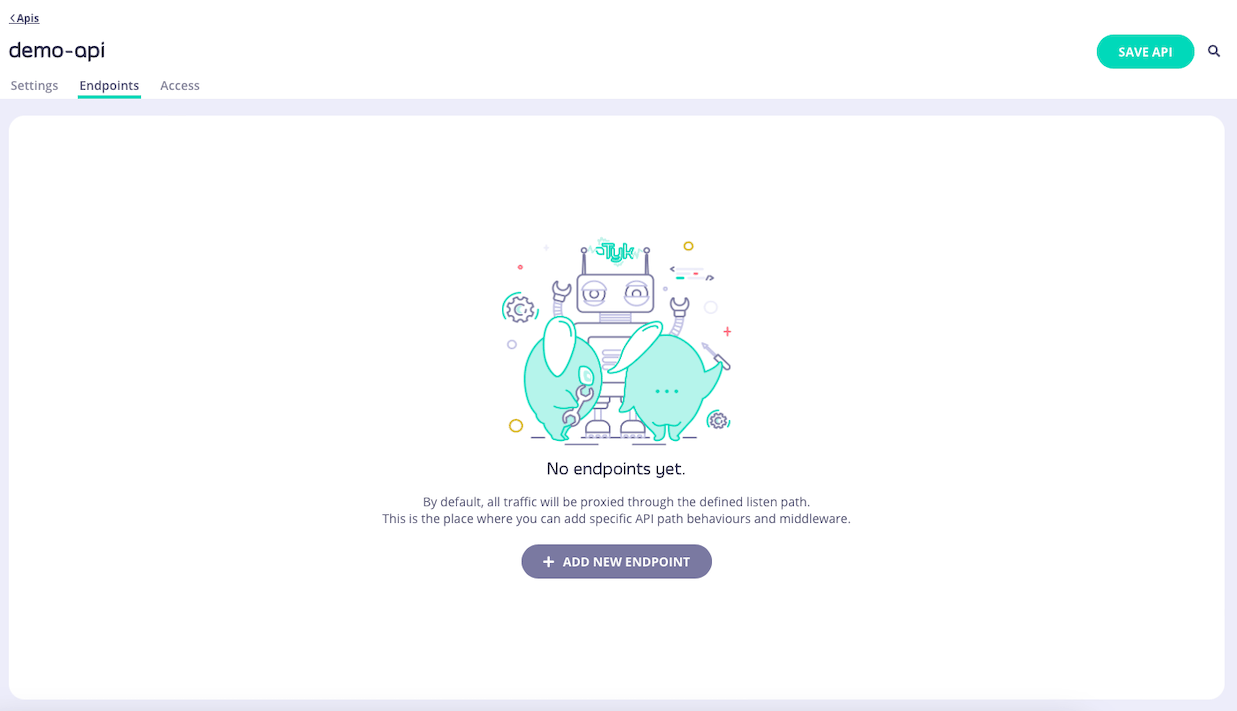
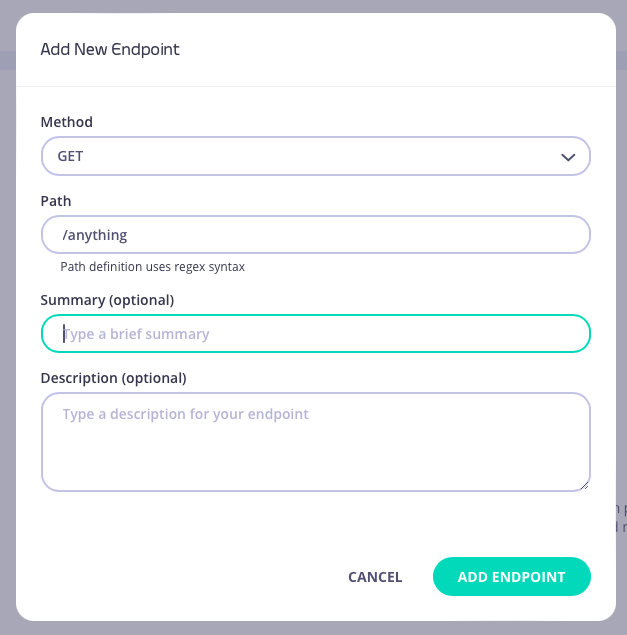
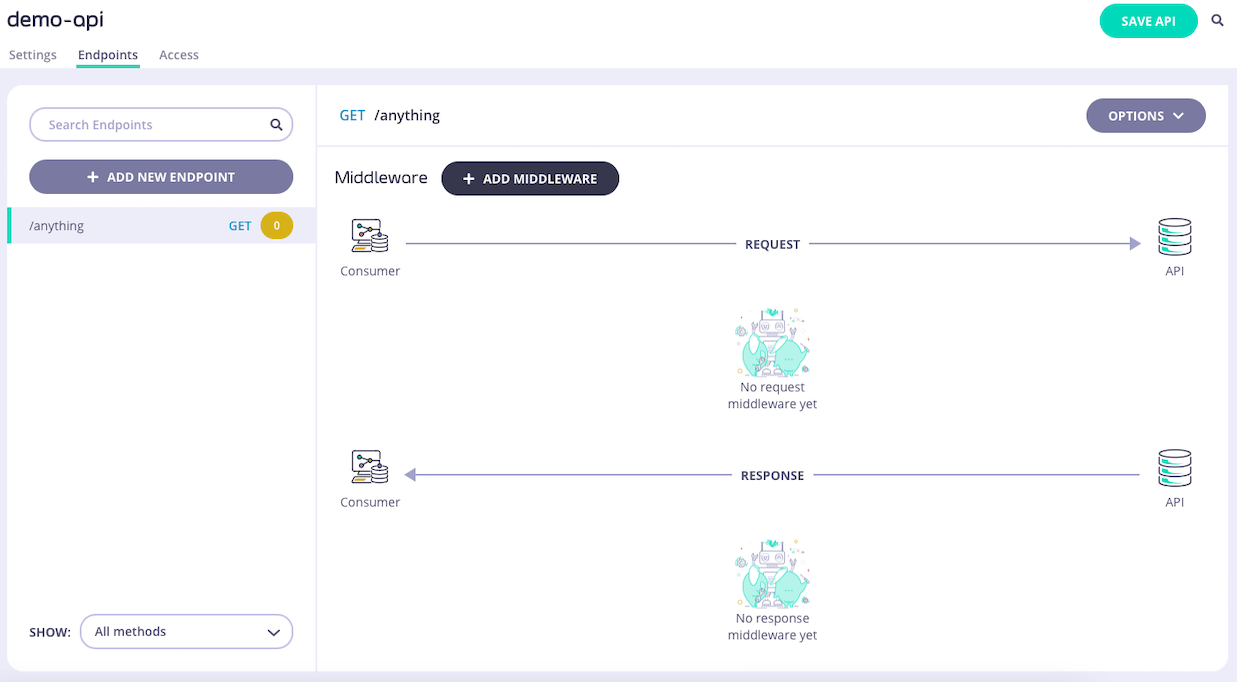
**Step 1: Add an Endpoint**
From the **API Designer** add an endpoint that matches the path and method to which you want to apply the middleware.
 **Step 2: Select the Enforce Timeout Middleware**
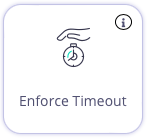
Select **ADD MIDDLEWARE** and choose the **Enforce Timeout** middleware from the *Add Middleware* screen.
**Step 2: Select the Enforce Timeout Middleware**
Select **ADD MIDDLEWARE** and choose the **Enforce Timeout** middleware from the *Add Middleware* screen.
 **Step 3: Configure the Middleware**
Set the timeout duration that you wish to enforce for requests to the endpoint.
**Step 3: Configure the Middleware**
Set the timeout duration that you wish to enforce for requests to the endpoint.
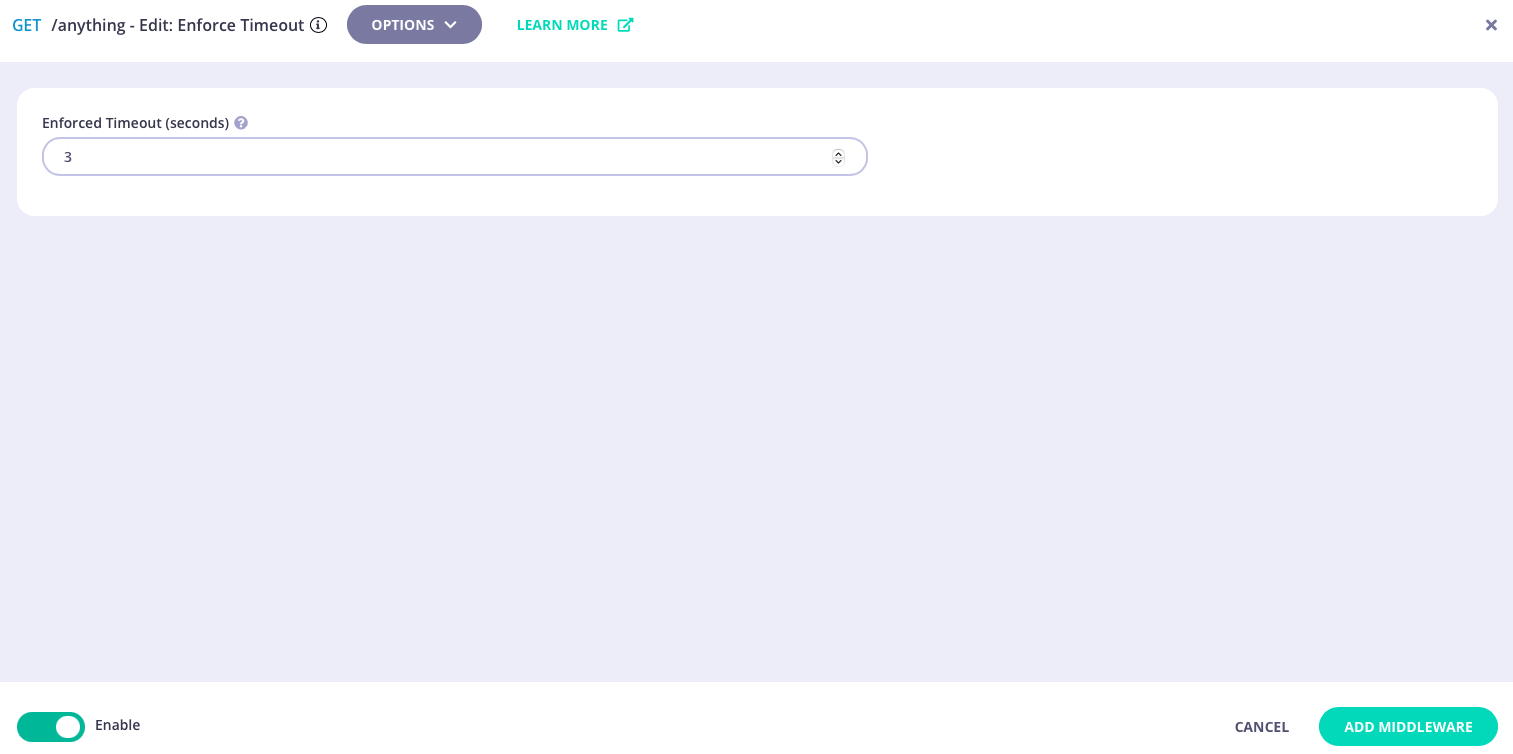 Select **ADD MIDDLEWARE** to apply the change to the middleware configuration.
**Step 4: Save the API**
Select **SAVE API** to apply the changes to your API.
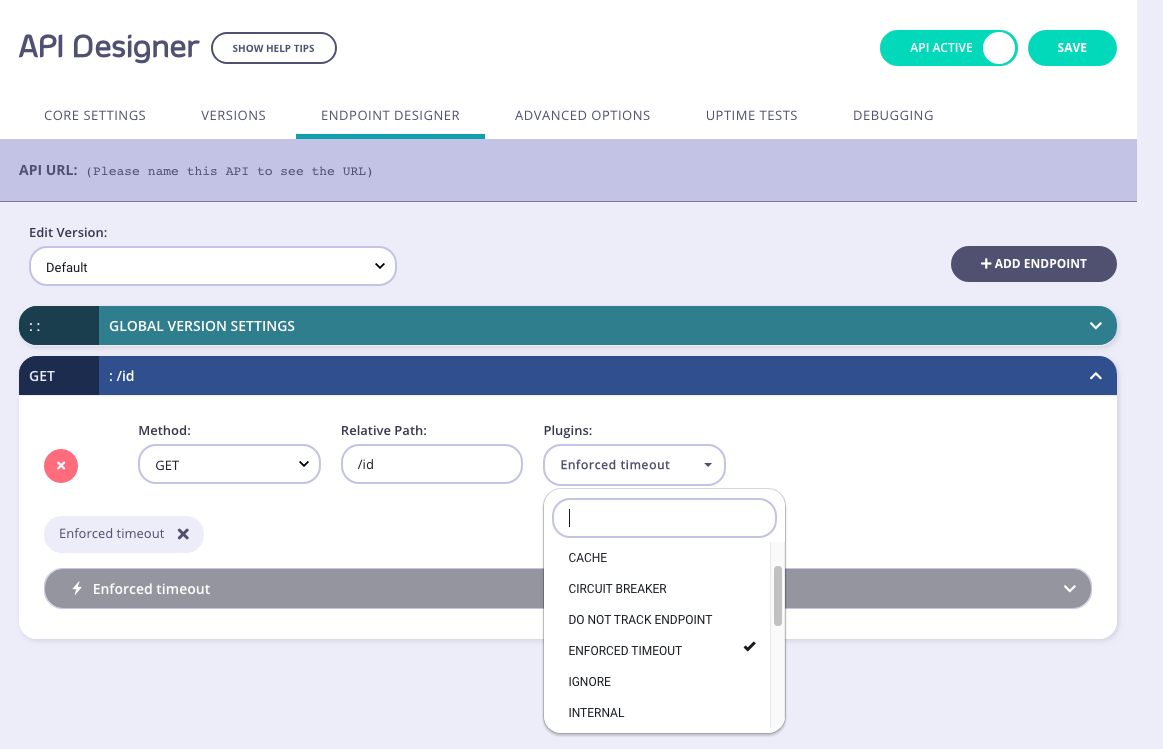
**Step 1: Add an Endpoint and Select the Enforced Timeout Plugin**
From the **Endpoint Designer** add an endpoint that matches the path for which you want to deploy the enforced timeout. Select the **Enforced timeout** plugin.
Select **ADD MIDDLEWARE** to apply the change to the middleware configuration.
**Step 4: Save the API**
Select **SAVE API** to apply the changes to your API.
**Step 1: Add an Endpoint and Select the Enforced Timeout Plugin**
From the **Endpoint Designer** add an endpoint that matches the path for which you want to deploy the enforced timeout. Select the **Enforced timeout** plugin.
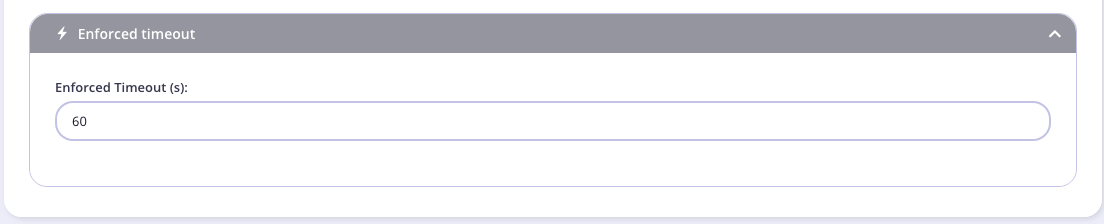
 **Step 2: Configure the Timeout**
Enter the timeout to be enforced for the endpoint (in seconds):
**Step 2: Configure the Timeout**
Enter the timeout to be enforced for the endpoint (in seconds):
 **Step 3: Save the API**
Use the *save* or *create* buttons to save the changes and activate the middleware.
**Step 3: Save the API**
Use the *save* or *create* buttons to save the changes and activate the middleware.